
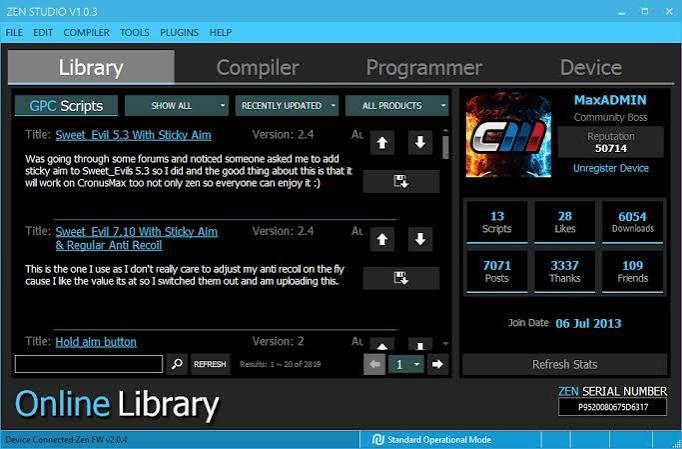
Cronus scripts have become a popular topic among console and PC gaming communities, particularly among players interested in customizing controller behavior. These scripts are commonly associated with devices such as the Cronus Zen, which can connect controllers to cronus scripts different gaming platforms and provide programmable input features. Understanding what cronus scripts are, how they work, and where they may be appropriate can help gamers make informed decisions about controller customization.
What Are Cronus Scripts?
Cronus scripts are small programs designed to modify or automate certain controller inputs. They are generally created using scripting languages supported by compatible Cronus devices. A script can interpret button presses and controller inputs and then perform programmed actions based on those inputs.
Depending on how a script is designed, it may provide controller customization, accessibility features, or gameplay-oriented functions. The exact capabilities depend on the device, game, controller, and script being used.
The main purpose of scripting is to give users more control over how their controller responds. For example, a player may use a script to remap inputs or create a customized control layout that better suits their preferences.
How Cronus Scripts Work
A compatible device sits between the controller and gaming system. When the player presses a button, the device can process the input according to its configuration and any active script. It can then send the resulting controller commands to the console or PC.
Scripts typically contain programmed conditions and actions. A basic concept might be:
- Detect a particular button press.
- Check whether another input is active.
- Apply a programmed controller response.
- Send the resulting input to the gaming system.
This makes scripting flexible because different combinations of conditions can produce different controller behaviors.
Common Uses of Cronus Scripts
One of the most straightforward applications is controller customization. Players may want to change button mappings or adjust the way certain controls operate. This can be useful for gamers who find standard controller layouts uncomfortable or difficult to use.
Scripts can also be used for accessibility. Some players have physical limitations that make conventional controller layouts challenging. Carefully designed input modifications can help create a more comfortable control experience.
Another use is experimentation. Gaming enthusiasts who enjoy understanding controller technology may create scripts to learn how inputs, timing, and programmable devices work.
Controller Customization
Controller customization is one of the most practical reasons people explore cronus scripts. Different games use different control schemes, and players may prefer alternative layouts.
For example, someone might want frequently used commands moved to more convenient buttons. A customized setup can potentially make controls feel more natural and reduce unnecessary button movement.
However, customization should always remain within the rules of the particular game and platform. Some games prohibit automated or modified inputs, especially in competitive environments.
Accessibility and Personalization
Technology can make gaming more accessible to a wider range of players. Programmable controllers and scripts may allow users to adapt controls according to their individual needs.
A player could, for instance, configure alternative input arrangements that make certain commands easier to reach. This type of personalization can be valuable when the default controller configuration does not work well for a particular player.
Accessibility-focused customization is different from using automation to gain an unfair advantage. The goal is to make interaction with the game more comfortable and practical.
Cronus Scripts and Competitive Gaming
Competitive gaming is an area where cronus scripts can become controversial. Some scripts are designed to alter gameplay inputs in ways that may provide advantages over players using standard controls.
Because of this, competitive games and tournaments may have rules regarding programmable controllers and input-modification devices. Players should always review the relevant terms of service and tournament regulations before using any script.
Even if a particular configuration technically works, that does not necessarily mean it is permitted. Rules can vary significantly between games, platforms, leagues, and tournaments.
Choosing Scripts Responsibly
Anyone exploring cronus scripts should consider the intended purpose before installing or creating one. Scripts from unknown sources can also present risks, particularly when their code is difficult to understand.
It is sensible to use reputable communities and documentation when learning about scripting. Players should understand what a script is intended to do instead of activating unknown configurations blindly.
Testing should also be performed in appropriate environments. If a particular game prohibits modified inputs, players should avoid using those configurations in that game.
Learning to Create Cronus Scripts
For technically minded gamers, learning scripting can be an interesting programming exercise. Rather than relying entirely on pre-made scripts, users can learn the fundamentals behind controller programming.
Important concepts include variables, conditions, loops, input detection, and timing. Understanding these concepts can help beginners read scripts and recognize what different sections of code are intended to accomplish.
Starting with simple controller customizations is generally easier than immediately attempting complex projects. A gradual approach allows users to understand how individual inputs behave before combining multiple functions.
Benefits of Understanding Scripts
Learning about cronus scripts can provide several benefits beyond gaming. Programming controller behavior introduces concepts that are also relevant to broader software development.
Users can develop an understanding of logical conditions, event-based programming, and input processing. These concepts can later be applied to other programming projects.
For gaming enthusiasts, scripting can therefore be both a customization tool and a learning opportunity.
Important Rules and Fair Play
Fair play should remain an important consideration when using programmable controller technology. Multiplayer communities depend on players following the same basic rules.
Before using a script online, check the game’s rules and the platform’s policies. Some games may restrict input automation, macros, or controller modifications. Tournament organizers can have even stricter requirements.
Players should also avoid configurations that interfere with other users’ experiences or intentionally circumvent game protections.
The Future of Controller Scripting
As gaming hardware becomes increasingly customizable, programmable controllers and software-based configurations are likely to remain relevant. Developers continue to explore ways to make gaming hardware more flexible, accessible, and personalized.
At the same time, competitive gaming organizations are becoming more attentive to input integrity. This means the distinction between legitimate customization and prohibited automation will remain important.
The future of controller scripting will likely involve a balance between personalization, accessibility, security, and fair competition.
Conclusion
Cronus scripts are programmable configurations that can modify how compatible controllers process and send inputs. They can be useful for controller customization, accessibility, experimentation, and learning about programming.
However, their use in competitive gaming requires particular care. Rules differ between games and platforms, and some forms of input modification may not be permitted. Gamers should therefore understand the purpose of a script, use trustworthy sources, and check applicable rules before using programmable configurations online.
When used responsibly, controller scripting can be an interesting way to explore gaming technology and personalize the way a controller works. The key is to prioritize safety, fair play, accessibility, and compliance with the rules of the gaming environment.